Ages 8-14
The Remote Parent Portal lets you update every setting on your child's phone from your own device, at any time, without touching it.
- Change any setting remotely from your own phone, no confrontation needed
- Email alerts the moment harmful content is caught and blocked
- Update filters, schedules and app access from anywhere
- Switch to report-only mode as they earn more independence
Blocks harmful content inside every app. Not just websites.
Apple Screen Time and Google Family Link block websites and apps. If it appears on screen, SafetyMode catches it and blocks the entire screen.
- Explicit images and nudity; blocked before they see it
- Cyberbullying language in messages; flagged and blocked
- Adult content in any app; including social media DMs and WhatsApp
- Addictive notification pings; suppressed at OS level
SafetyMode is the world's first technology to block harmful content at the app level; the safest, most complete solution for parents to protect their children online.

"Points specifically to the OtherPhone as the alternative to devices that allow unfettered social media access."
Tim Berners-Lee
Founder of the World Wide Web

"There are few topics more important than mobile security, especially when it comes to children."
Dr Jessica Barker MBE
Cyber-security expert

"The most important and essential new tool for parents this year."
Hugh Grant
Actor, dad of five
In partnership with
Designed with Mumsnet parents
Real parents told us what they needed. We built it.


SafetyMode is the only platform built to cover every element of child safety.
| Feature | SafetyMode | Apple Screen Time | Google Family Link | Qustodio |
|---|---|---|---|---|
| Blocks harmful content inside any app (WhatsApp, Snapchat, iMessage) | ✓ | ✗ | ✗ | ✗ |
| Anti-addiction home screen design | ✓ | ✗ | ✗ | ✗ |
| Apps invisible when disabled | ✓ | ✗ | ✗ | ✗ |
| Notification blocking | ✓ | ✗ | ✗ | ✗ |
| Can be set up as a minimal dumbphone | ✓ | ✗ | ✗ | ✗ |
| Child's data stored on device (not cloud) | ✓ | ✗ | ✗ | ✗ |
Apple Screen Time and Google Family Link block URLs or apps; SafetyMode blocks the actual content inside every app, in real time.
Every control, customised for your child.
No two families are the same. SafetyMode gives you granular control over every aspect; change it all remotely, at any time, as your child grows.
Exactly what they can see
Content filtering
Filter specific categories; explicit images, adult language, violence, gambling; across every app. Real content detection in real time.
Which apps they have
All apps approved by the parent
Every app must be downloaded by the parent; no new apps are accessible without parental intervention. Apps outside of their schedule don't appear; out of sight, out of mind.
When apps are available
App scheduling
Block games during homework. Disable social media at bedtime. Allow WhatsApp after school only. Different rules for weekdays and weekends.
How the phone looks as they grow
Display mode
Start with a distraction-free list. Move to a standard grid. Graduate to full Android on your terms, at your pace, when you decide they're ready.
Where they are; included with phone
Location tracking
See your child's location from your own phone at any time. Included with the phone; no Plus subscription needed.
Change anything, from anywhere
Remote management
Every setting above can be changed from your own phone using the SafetyMode Plus Parent Portal, without touching their phone. No confrontation. No negotiation. Full control.
Know when filters are tripped
Reports and alerts with SafetyMode Plus
Receive email alerts when harmful content is detected and blocked.
Stay ahead of what's out there
Word and website blacklist
As websites and culture changes, keep your child isolated from problematic ideas, rabbitholes and harmful slang.
Set up once. Manage from your own phone, forever.
Set up SafetyMode Plus
Install SafetyMode on your child's phone and set up the Parent Portal on your own device. Takes about 10 minutes.
Manage from your phone
With Plus, adjust any setting remotely; no need to take their phone. Change filters, update schedules, check location. Works from anywhere.
Get alerts when it matters
Email alerts when harmful content is detected and blocked. Know it's working, even when you're not watching.
What parents are saying
★★★★★
"I felt that the safety features were really suitable for me to be able to support my child. It was good that I was able to manage them from my own phone."
Jane
Mum of 11 year old
★★★★★
"He couldn't access restricted material and it wasn't even coming up for him. It gave me peace of mind as I can't police him all the time."
Tom
Dad of 13 year old
★★★★★
"I was pleased to see it would work with Dexcom apps as my child has type one diabetes and I know lots of parents really want a safer phone."
Alison
Mum of 12 and 14 year old
DISPLAY MODES
Kids grow fast. SafetyMode grows with them; simply adjust the safety settings when they're ready.
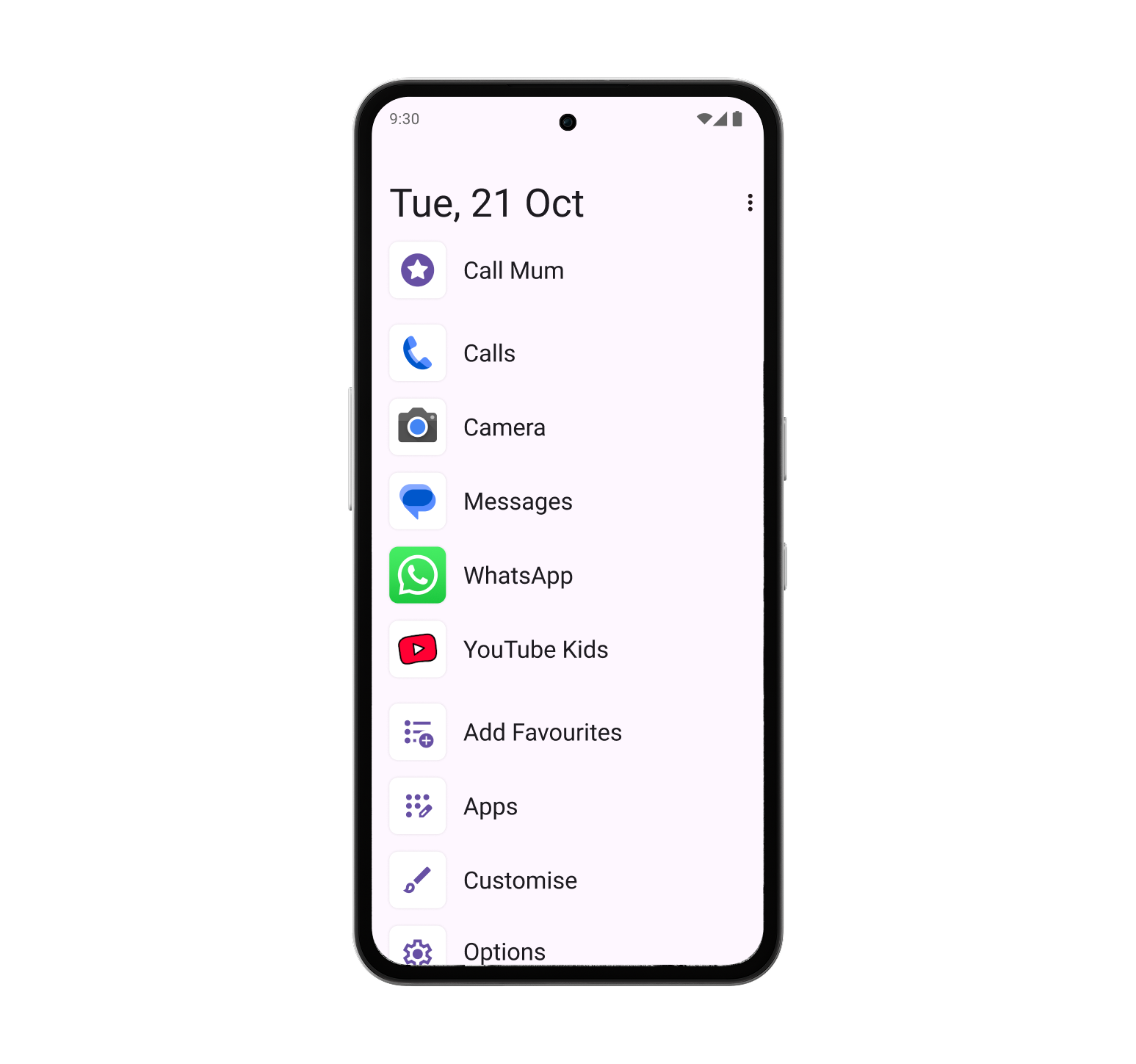
Distraction free list
Designed to reduce compulsive checking

Traditional grid
Looks more like any Android
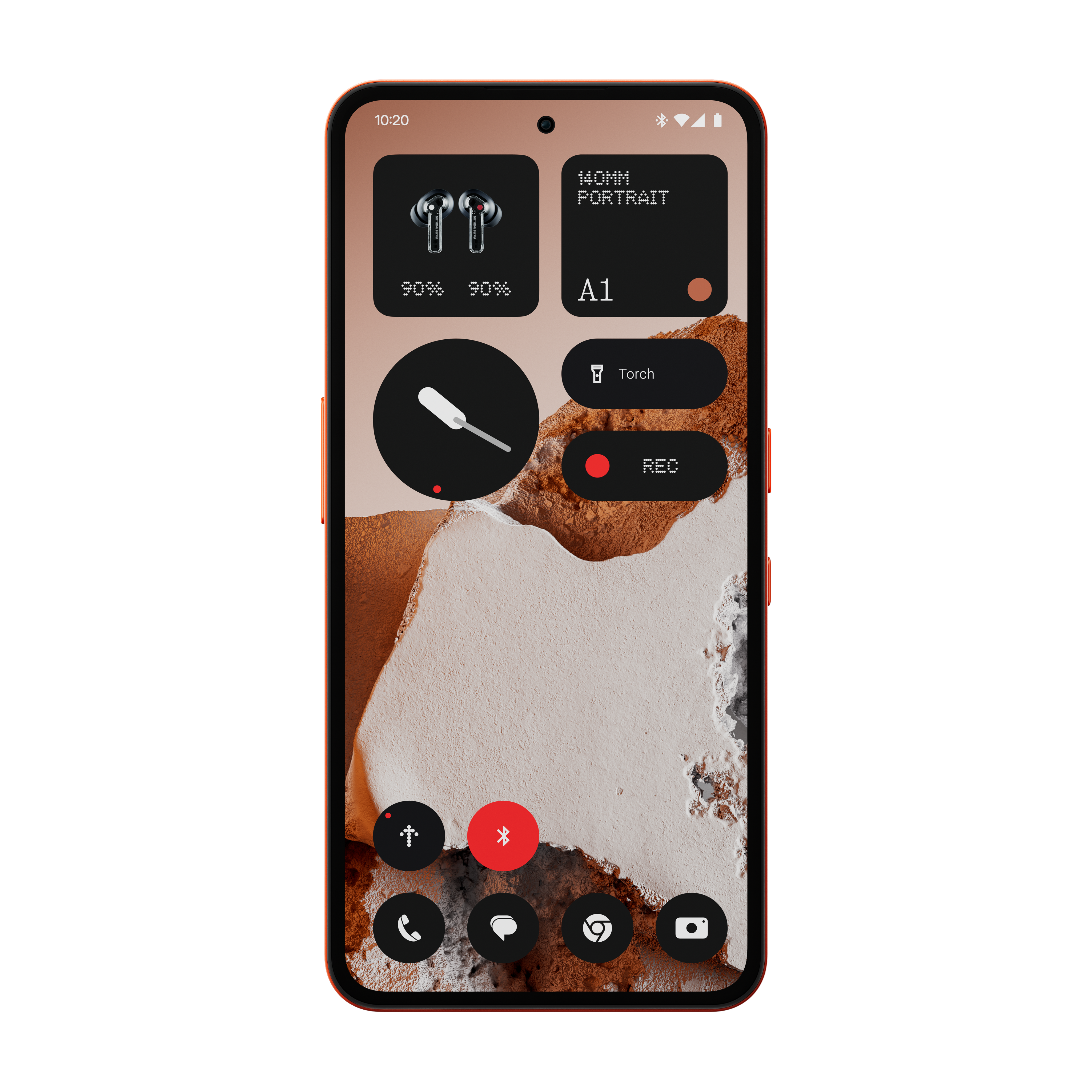
Adjust the safety settings when they're ready
Loosen restrictions as they earn your trust
Swipe to see all three →
Frequently Asked Questions
Ready to give them independence; safely?
Join the hundreds of families already using OtherPhone. 30-day returns. Free delivery.
Add SafetyMode Plus and checkout