Change any setting, anywhere.
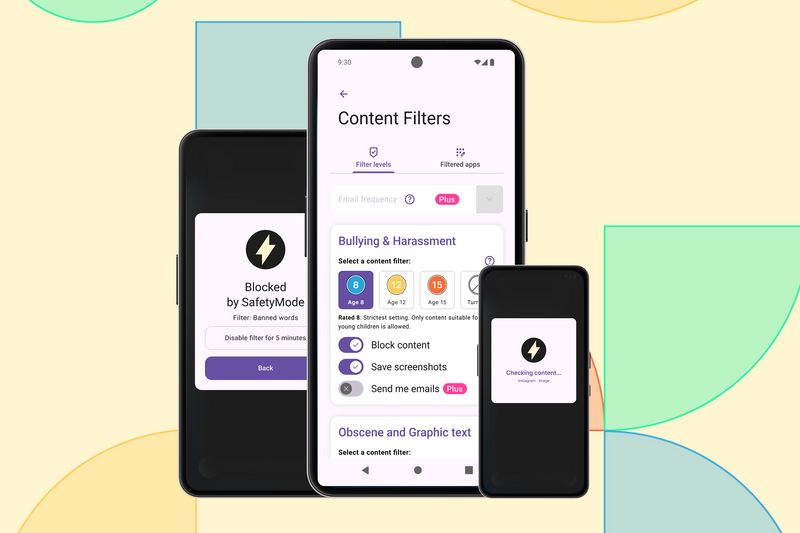
Not every decision needs to be a negotiation. With SafetyMode Plus, you can update filters, adjust schedules, and track location - all from your own phone, without ever needing to take theirs.
Why we built it:
7 in 10
teenagers want their parents to set filters to help protect them online
Internet Matters, 2018
44%
of teens feel anxious when they don't have their smartphone
Pew Research Center, 2024
9 in 10
parents argue with their child about technology use, with half saying it happens at least weekly
Talker Research, 2024
Everything you can do from the Parent App
Adjust filters remotely
Tighten or relax content filtering at any time, without the phone in your hand, or your child knowing anything has changed.
Manage apps and websites
Add or remove apps, websites and words from the Content Filters as situations change. No need to ask for the phone back every time.
Set schedules for your child's success
Change when apps are available (e.g. school nights, weekends, exam periods etc.) in seconds from your dashboard.
Alert emails when content is flagged
Keep on top of content that trips the filters. Decide whether to raise issues when the time is right for your family.
Remote control is a SafetyMode Plus feature. Included free with every OtherPhone for 30 days, or available for £5.99/month.
What Is the Difference Between Live Content Blocking and Web Filtering, and Which Is Safer for Children?
Read article
SafetyMode vs Kids360: Why Blocking Apps Isn't the Same as Keeping Kids Safe Inside Them
Read article